

Findings & Evidence
A finding is a confirmed vulnerability discovered during an audit. Golem AI’s defining principle: Golem only emits findings on confirmed compromise or exposure — not theoretical issues, not “potential” weaknesses, not unverified scanner output.Finding structure
Every finding includes:Severity levels
See Security Score for how these compose into the final grade — the base deduction is only the starting point.
How findings are validated
Golem AI enforces a multi-layer validation pipeline before any finding is accepted into an audit: Layer 1 — Submission gate (real-time) Golem submits findings through areport_finding() tool call, never by emitting text. At submission time the orchestration layer validates:
- The cited command ID (
evidence.cmd_id) must exist in the execution ledger for this engagement - That command must have exited successfully and produced output — not just run
- Any stack-specific claim (e.g. “Jinja2 SSTI”, “Firebase misconfiguration”) requires that stack to have been fingerprinted from actual recon output earlier in the engagement
[finding_rejected] to the agent and are silently dropped.
Layer 2 — Deduplication Each finding is checked against all existing findings by stable ID and by CWE × affected URL, so the agent can’t re-report something the baseline scanner already caught.
Layer 3 — Post-hoc verification Before findings are written to the database, a verifier cross-checks each critical/high finding’s claimed response against the actual stdout of the cited command. Read-only curl commands are replayed in the sandbox and the live response is compared to what the agent claimed.
A finding that fails any layer is dropped, not downgraded.
Evidence
Evidence is what separates confirmed findings from scanner output. Every finding includes the raw artifact that proves the vulnerability exists. For an authentication bypass, evidence might be:Browsing findings
From the dashboard
- Per audit — open an audit to see all its findings, filterable by severity
- Across the app — the app’s Findings view aggregates every finding across audits
- CVE-linked — findings that map to a published CVE link into CVE Intelligence
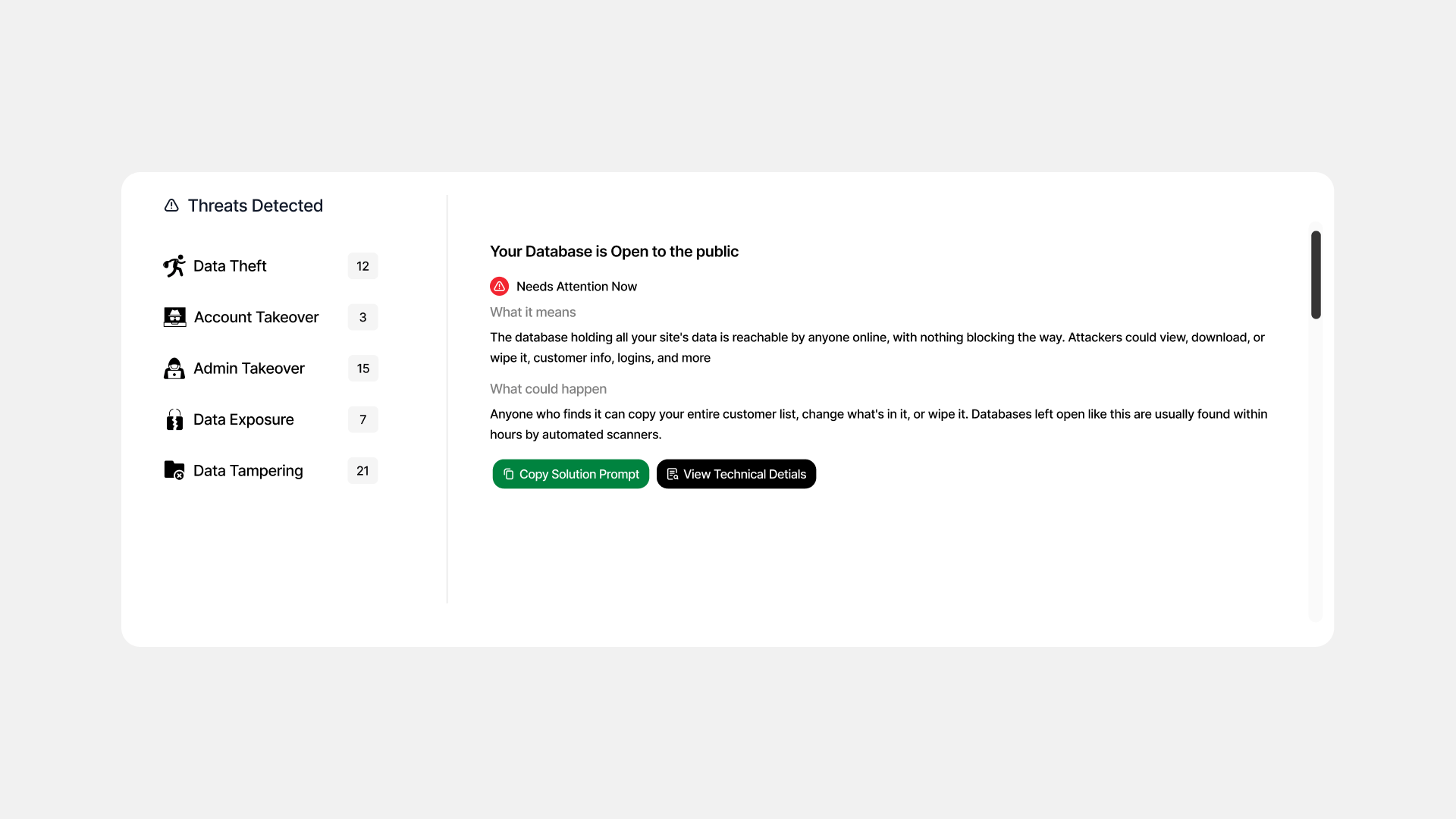
Findings list filtered by severity, with an expanded finding showing evidence
From the API
Verifying remediation
To verify a finding is remediated:- Apply the fix
- Re-run an audit against the same target (typically Shallow is enough)
- Confirm the finding is no longer present — reconfirmed findings are marked as
revalidationwith a link back to the original
Next steps
Reports
Markdown reports and PDF export.
Security Score
How findings compose into the grade.